The Best Budget Standing Desk Converters for Small UK Home Offices in 2026
Disclosure: This post contains affiliate links. As an Amazon Associate I earn from qualifying purchases. Learn more.
If you're working from a small flat, studio, or university digs in the UK, you know the struggle: your desk is barely big enough for your laptop, let alone a monitor, keyboard, and coffee mug. Adding a standing desk converter to the mix might sound like a recipe for even less space, but the right one can actually transform your tiny desk into a far more ergonomic and productive setup — without the cost or hassle of replacing your entire desk.
Standing desk converters sit on top of your existing desk and lift your monitor and keyboard to standing height at the push of a lever or the turn of a knob. When you want to sit down, they lower back to desk level. It's the simplest way to get the health benefits of standing while working — better posture, fewer aches, more energy — without needing a full sit-stand desk frame.
In this guide, we'll look at the best budget-friendly standing desk converters for small UK home offices, from compact single-monitor risers to wider models that can handle dual screens.
What to Look For in a Standing Desk Converter
Before we get into the specific products, here's what you need to consider when shopping for a standing desk converter for a small workspace:
Desk space. Measure your desk carefully — both width and depth. Most standing desk converters need at least 60cm of width and 40cm of depth. If your desk is particularly narrow (under 50cm wide), look for a compact model designed specifically for smaller workstations.
Lift mechanism. The two main types are gas spring (smooth, easy lift with a lever or handle) and mechanical (crank or screw mechanism). Gas spring is generally preferred for daily use — it's effortless and quick. Mechanical is cheaper but slower and takes more effort.
Height range. Make sure the converter can adjust low enough for sitting (typically around 15cm above your desk surface) and high enough for standing (around 45-50cm). A good converter should suit your height whether you're sitting on a standard office chair or a stool.
Monitor capacity. If you use two monitors, check the weight capacity and surface dimensions. Some converters comfortably hold dual monitors, while others are designed for a single screen plus a laptop.
Build quality. Look for a sturdy steel frame and a solid desktop surface. A wobbly converter is worse than no converter at all — it shakes your screens and makes typing feel unstable.
The Best Budget Standing Desk Converters
VIVO 26 inch Desk Converter — Best Compact Pick
£129.99
The VIVO 26-inch Desk Converter is one of the most popular budget-friendly standing desk converters on the UK market, and for good reason. Its compact 26-inch width makes it ideal for smaller desks — think the kind of desk you'd find in a standard student room or a compact flat. Despite its modest footprint, it supports dual monitors thanks to its wide keyboard tray and elevated monitor platform.
The gas spring lift mechanism is smooth and easy to operate. Just pull the lever, and the platform rises gently to your preferred standing height. When you want to sit, a light push downward returns it to desk level. No cranking, no awkward wrestling with stiff springs.
The keyboard tray is wide enough to hold a full-size keyboard and mouse comfortably, with enough room for a notepad alongside. VIVO rates the converter to hold up to 11kg across both levels, which is plenty for a couple of monitors or a laptop plus an external screen.
Best for: Small desks where every inch counts, students, and anyone running a single monitor plus a laptop.
Pros: Compact 26-inch width, gas spring lift, holds dual monitors, excellent value at £129.99
Cons: Slightly less depth than some larger models, may feel cramped with two large monitors
VIVO 36 inch Desk Converter — Best for Dual Monitors
£159.99
If your desk can accommodate a wider footprint, the VIVO 36-inch Desk Converter is the natural upgrade. It offers the same gas spring mechanism and build quality as the 26-inch version but with a significantly larger work surface that comfortably fits two full-size monitors side by side — or a large monitor alongside a laptop.
The extra width (36 inches / 91cm) means you can keep your workflow spread out without feeling cramped. The keyboard tray is correspondingly larger, giving you space for a full-size keyboard, mouse, and perhaps a phone or cup of tea alongside.
What really sets the 36-inch version apart is its stability. The wider base distributes weight more evenly, so there's less wobble when you're typing at standing height. For anyone who spends their entire workday at the computer, that stability translates directly into comfort and focus.
The height adjustment range is generous — from roughly 15cm above the desk in the lowest position to around 48cm at full height — accommodating everything from a standard office chair to a tall drafting stool.
Best for: Home offices with enough desk width, dual-monitor users, and anyone prioritising stability.
Pros: Roomy 36-inch surface, smooth gas spring, very stable even at full height, ideal for dual monitors
Cons: Requires a wider desk, slightly pricier at £159.99
BONTEC Standing Desk Converter 32 inch — Best Value Mid-Range
£139.99
The BONTEC Standing Desk Converter splits the difference between the two VIVO models — wider than the 26-inch but more compact than the 36-inch — at a price that sits neatly between them. At 32 inches wide, it's an excellent middle ground for anyone who needs room for a monitor and a laptop but doesn't have the desk space for a 36-inch riser.
The BONTEC uses a dual-tier gas spring design similar to the VIVO models. The upper tier lifts your monitor or laptop to eye level, while the lower tier holds your keyboard and mouse. The lift is smooth and controlled, with a handy lock mechanism that keeps the platform steady at your chosen height.
One advantage of the BONTEC is its weight capacity. It can hold up to 15kg across both tiers, which is higher than the VIVO 26-inch's 11kg. If you're using heavier monitors or want to keep a tablet, phone, and other accessories on the desk alongside your main screens, the extra capacity is reassuring.
The build quality is solid — a steel frame with a matte black finish that looks professional and won't show fingerprints. Assembly is straightforward, with most of the converter arriving pre-built.
Best for: Budget-conscious buyers who want extra width and weight capacity without paying £160.
Pros: 32-inch work surface, 15kg capacity, smooth gas spring, great value at £139.99
Cons: Slightly less stable than the VIVO 36-inch at full height, keyboard tray could be deeper
Standing Desk Converter Comparison
| Product | Price | Width | Weight Capacity | Best For |
|---|---|---|---|---|
| VIVO 26 inch | £129.99 | 26 inches (66cm) | 11kg | Compact desks, students, single monitor |
| VIVO 36 inch | £159.99 | 36 inches (91cm) | 11kg | Dual monitors, stability, wider desks |
| BONTEC 32 inch | £139.99 | 32 inches (81cm) | 15kg | Value seekers, medium desks, heavier gear |
On a tight budget with a small desk? The VIVO 26-inch at £129.99 is the best value compact option — it gives you the standing desk experience without overwhelming your workspace.
Running dual monitors? Go for the VIVO 36-inch. The extra width and stability are worth the £30 premium over the BONTEC.
Want the best all-round value? The BONTEC 32-inch at £139.99 offers the ideal balance of size, capacity, and price. It's the Goldilocks option.
Buying Guide
Standing desk converters are a brilliant investment for small-space workers, but getting the right one depends on three factors: your desk dimensions, your monitor setup, and your budget.
Measure first, buy second. Clear your desk and measure the available width. Leave at least 5cm of clearance on each side of the converter. Remember that the converter sits on top of your desk, so a desk depth of at least 40cm is essential.
Consider your standing habits. If you think you'll stand for short bursts throughout the day, a gas spring converter is essential — the ease of switching positions encourages you to actually use it. If you plan to stand for long periods, prioritise stability and a wider surface area.
Think about your chair height. The converter needs to drop low enough that your keyboard is at elbow height when you're sitting. Most models accommodate standard office chairs, but if you use an unusually low or high chair, check the height range spec.
Don't forget cable management. A standing desk converter moves up and down, which means your cables need slack. Use VELCRO cable ties or a small cable management tray to keep things tidy and prevent cables from snagging when the converter rises.
FAQ
Will a standing desk converter fit on my small desk?
Most converters need at least 60cm of desk width and 40cm of depth. The VIVO 26-inch requires the least space, making it the best option for truly compact desks. Measure your desk before buying to be sure.
Can I use a standing desk converter with a laptop only?
Absolutely. All three converters reviewed here work perfectly with a laptop, and you'll have plenty of room for a laptop stand, mouse, and notebook alongside it.
How easy is it to switch between sitting and standing?
Very easy. Gas spring converters like the VIVO and BONTEC models use a lever or handle mechanism — you pull to raise and push to lower. The whole transition takes about 2 seconds.
Do I need to assemble the converter?
Some assembly is required for all models, but it's straightforward. The main body usually arrives pre-assembled, and you just need to attach the keyboard tray or monitor platform with a few screws. Expect 15-30 minutes.
Are standing desk converters stable at full height?
The VIVO 36-inch is the most stable at full height due to its wider base. The VIVO 26-inch and BONTEC 32-inch are still perfectly functional but may have a slight wobble if you type heavily. For most users, this isn't noticeable.
Is £130-£160 a reasonable budget for a standing desk converter?
Yes. Good-quality converters start at around £130, and the three models reviewed here represent excellent value in this price range. Spending less generally means compromising on build quality, stability, or weight capacity.
Can I use a standing desk converter with a monitor arm?
You can, but it's unusual. Most monitor arms clamp to the desk itself, not to the converter. If you want the freedom of a monitor arm plus standing capability, consider a full sit-stand desk frame instead.
What's the difference between a standing desk converter and a full sit-stand desk?
A converter sits on your existing desk and lifts your gear up and down. A full sit-stand desk replaces your entire desk frame. Converters are cheaper (under £200 vs £300+) and don't require you to replace your existing desk, but they offer less legroom and a smaller work surface.
Top Picks from This Article
We earn a commission if you make a purchase, at no additional cost to you.
ErGear Single Monitor Arm
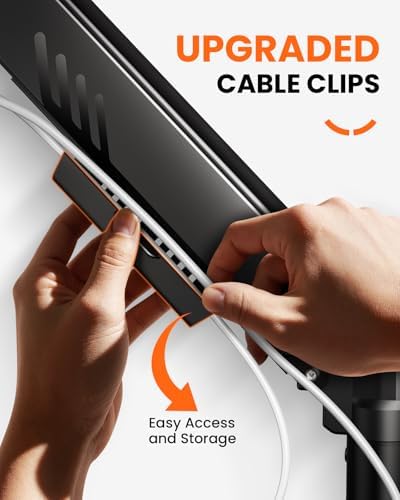
Fully adjustable gas-spring monitor mount for 13-34 inch screens, tool-free VESA, 9kg capacity
£28.48
Price accurate as of 2026-10-16
Check Price on Amazon →HUANUO Single Monitor Arm

Gas spring single monitor arm for 13-32 inch screens, C-clamp and grommet mount, frees up small desk space
£25.99
Price accurate as of 2026-10-16
Check Price on Amazon →Small Space Living is reader-supported. When you buy through links on our site, we may earn an affiliate commission from Amazon Associates and other affiliate programs. As an Amazon Associate we earn from qualifying purchases.
Prices and availability are accurate as of the date/time indicated and are subject to change. Any price and availability information displayed on Amazon at the time of purchase will apply to the purchase of this product.